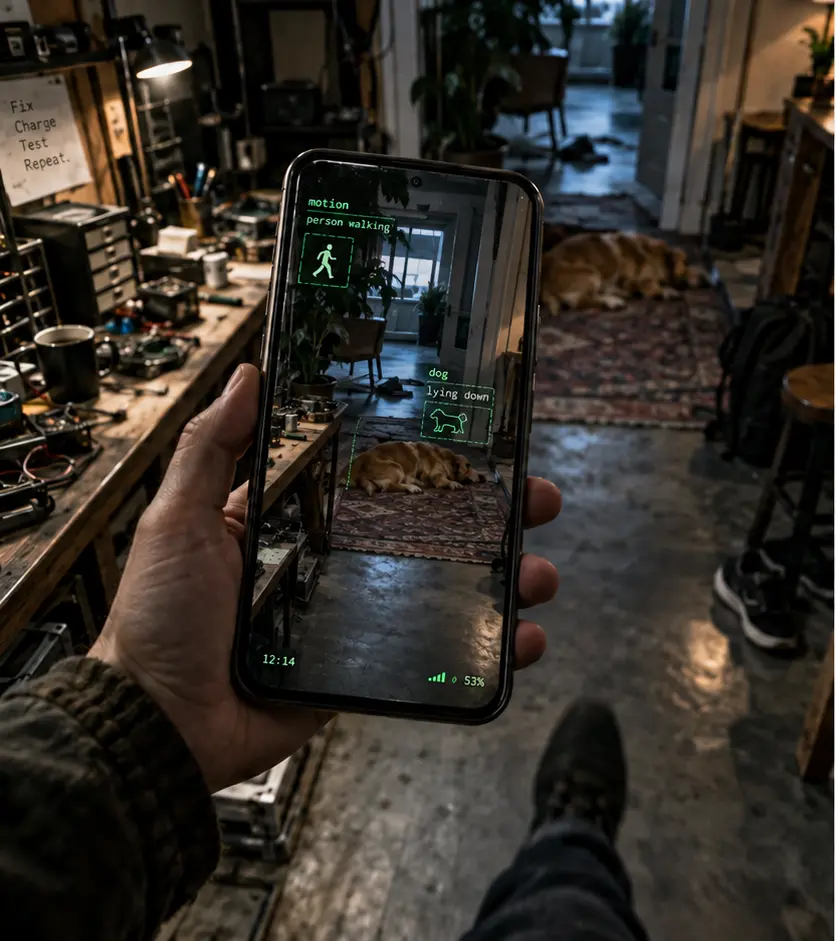
It can look and listen.
Atlas can use the phone’s camera, microphone, and device state when a task calls for them.
NATIVE ANDROID APP / CLOSED ALPHA
Atlas is an agent runtime that lives on your Android phone.
It keeps an AI session running across voice, camera, movement, interruptions, and time. The model can change. Your context stays with Atlas.
ANDROID APP.
PERSISTENT SESSION.
REPLACEABLE MODELS.
Atlas can use the phone’s camera, microphone, and device state when a task calls for them.
Observations, decisions, interruptions, and useful context stay attached to the ongoing session.
Atlas routes requests through explicit capabilities and policies instead of letting a model quietly do whatever it wants.
It is a runtime, not a chatbot skin.
Remind me which bag has the charger.
The canvas one. You put it beside the door.
Wait—what was the score?
Phillies are up 4–2. Back to packing?
Yeah. Where were we?
You still need the charger and rain shell. The rest is in the car.
ATLAS CORE / DEVICE OWNED
WHAT RUNS ON THE PHONE
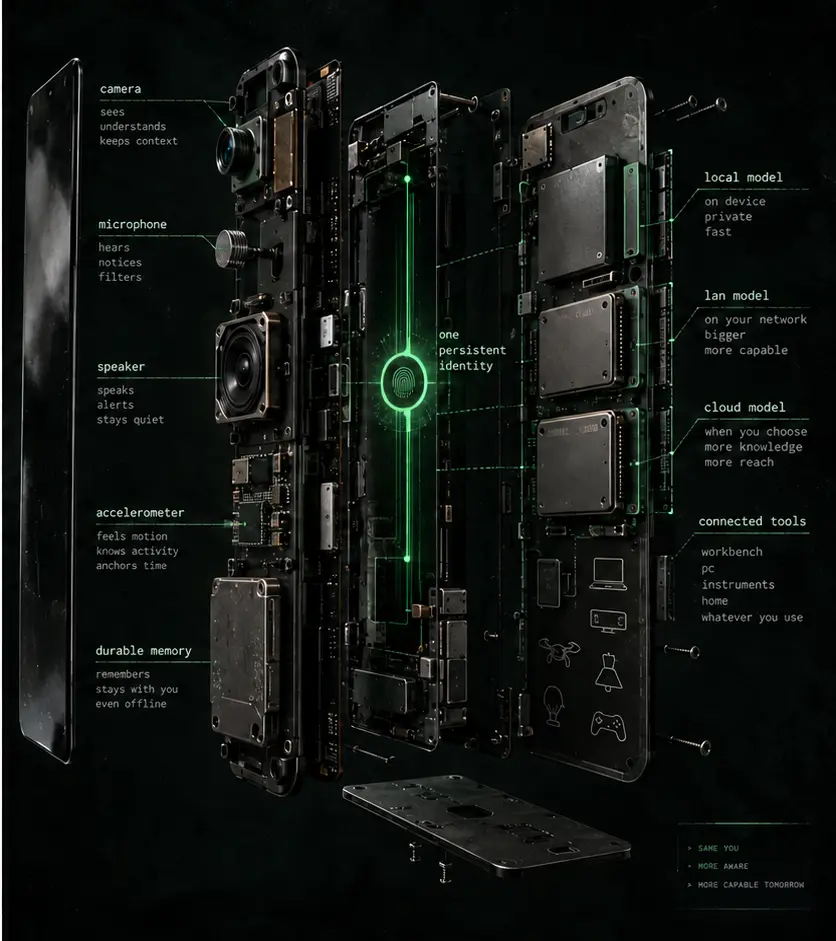
The native app owns memory, camera and voice input, session state, confidence and freshness checks, tool permissions, retries, and an event history you can inspect. It sends the right job to an AI model, then keeps the useful result. You can swap inference providers without replacing the agent.
THE RUNTIME STAYS.
THE MODEL IS REPLACEABLE.
WHAT YOU NEED
Atlas is useful when you treat it as a persistent agent, not a question box. Start a live context session, give it access only to the capabilities the task needs, and let it follow a project, errand, repair, walk, or routine over time.
The runtime runs natively on Android and stays tied to the phone you already carry.
Use a compatible model on the phone, on your local network, or through a cloud API. Managed Atlas inference is coming later.
Enable camera, microphone, and tools only when they make sense for what you want Atlas to follow or do.
Talk naturally, point the camera, change subjects, correct it, and come back later. Continuity is the point.
HOW INFERENCE WORKS
A quick response, image analysis, and careful reasoning do not need the same model. Atlas routes each job to a suitable endpoint: local, a machine on your LAN, or a cloud provider. The provider returns an answer. Atlas keeps the session.
MANAGED ATLAS CLOUD INFERENCE / ON THE WAY
ANDROID CLOSED ALPHA
Atlas is being built for work and life that do not fit inside one prompt. If you want to test the native app, tell us what you would want an agent on your phone to follow, remember, or help you do.